
Book barcodes
Why is my ISBN not accepted?
Answer
Barcode Rocket does not accept an ISBN that has the wrong number of digits, does not start with 978 or 979, or has a last digit that does not fit the others. The message under the picture says which of the three it is. Almost always it is a typo: copy the ISBN again from your ISBN agency's record.
What the message says
| You see | What it means | What to do |
|---|---|---|
| You entered 12 digits. An ISBN has 13. | A digit is missing or there is one too many. | Copy the whole number again. |
| An ISBN starts with 978 or 979. | This is not an ISBN-13. | An old 10-digit ISBN has a 13-digit version that starts with 978. Your ISBN agency's record shows it. |
| The last digit (check digit) should be 7, not 4. | The last digit does not fit the others. | One digit is wrong. Compare every digit with your record. |
How to fix it
- Open the record from your ISBN agency (for example Bowker in the US or Nielsen in the UK and Ireland).
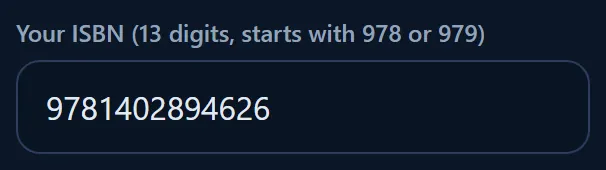
- Copy the 13-digit ISBN and paste it into the field. Hyphens and spaces are fine.
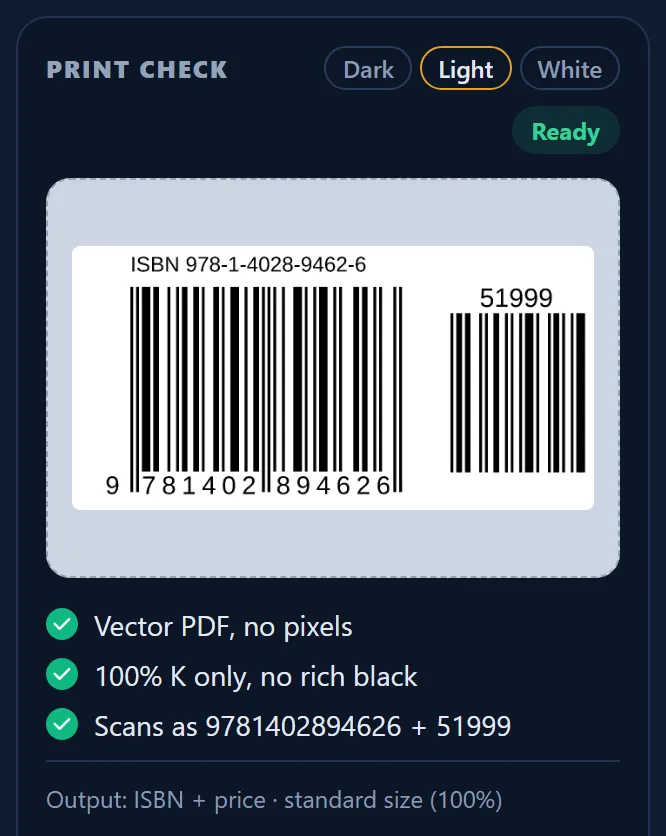
- When the picture appears, compare the Scans as line in PRINT CHECK with your record.
Why the site checks the last digit
The last digit of an ISBN is a check digit. It is calculated from the other twelve, so almost every typo, including most swapped digits, is caught at once. Barcode Rocket never changes your number: if the check digit is wrong, you need the right ISBN, not a corrected one.
Still not working?
Make sure you are on a book type (ISBN, KDP layout, IngramSpark layout or Connect QR). For a product number, use More barcode types: see How do I make EAN, UPC and carton barcodes?