
Your account
How do I keep my favorite barcode types first?
Answer
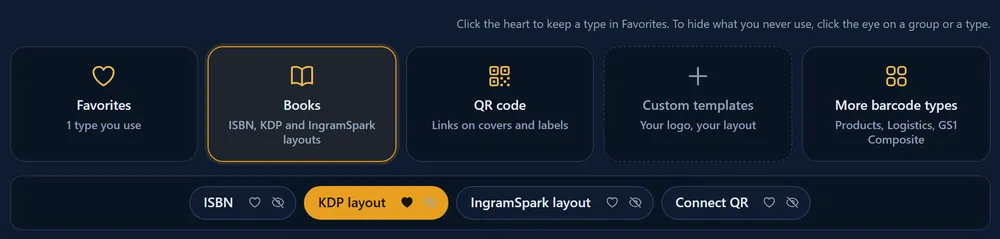
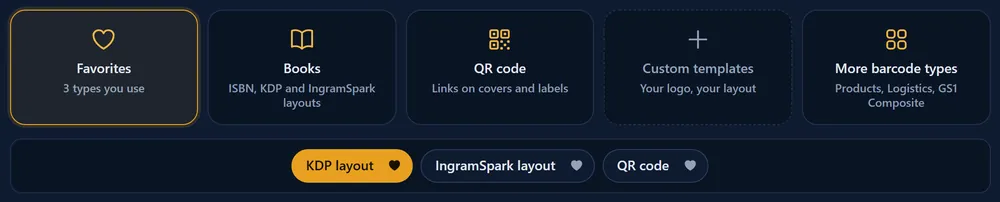
To keep the barcode types you use most in one place, click the small heart on a type in the Barcode Rocket studio. They appear in the Favorites group, first in the row, and the studio opens on Favorites the next time you come back. Favorites need a free account with a confirmed email.
Steps
- Sign in and open your dashboard.
- Open the group with the type you use, for example Books.
- Click the heart on the type, for example KDP layout. The heart fills in.
- Add as many types as you like, from any group.
- Next time, the studio opens on Favorites with your types ready.

Remove a favorite
Click the filled heart again, in Favorites or in the type's own group. When you remove the last one, the Favorites group goes away.
Good to know
- Favorites are saved with your account, so they are the same on every computer and phone you sign in on.
- The heart and the eye do different things: the heart puts a type first, the eye hides a type you never use. See How do I hide barcode types I never use?
- A link to a specific type, for example from a guide, still opens that type.
- Without an account, or before you confirm your email, the studio has no hearts. See Why has my confirmation email not arrived?