
Your account
Why has my confirmation email not arrived?
Answer
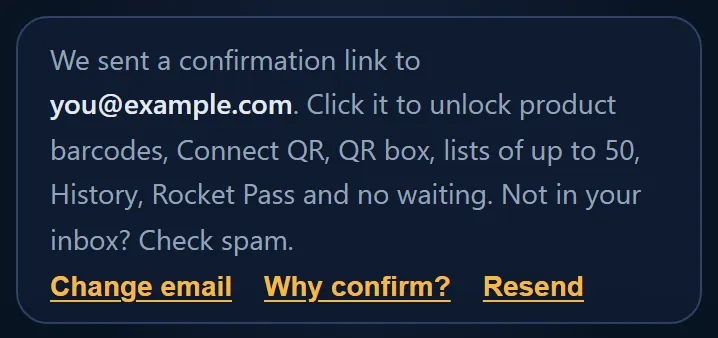
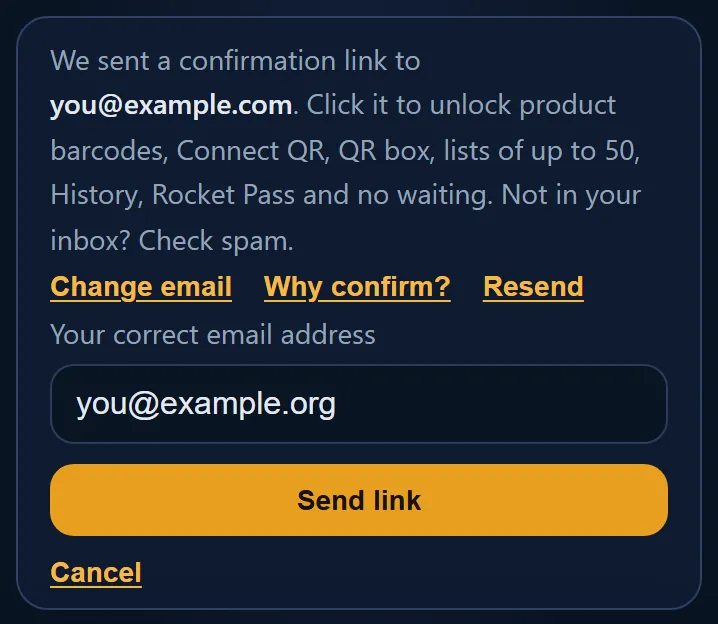
If the confirmation email from Barcode Rocket has not arrived, first look in your spam or junk folder. Then check the address shown in the bar at the top of your dashboard: if it has a typo, fix it with Change email. To get a new link, click Send confirmation email or Resend in the same bar.
Steps
- Look in your spam or junk folder, and in any "Promotions" or "Updates" tab.
- Sign in and look at the bar at the top of your dashboard. It shows the address we use.
- If the address is wrong, click Change email, type the right one and click Send link.
- If the address is right, click Send confirmation email (or Resend).
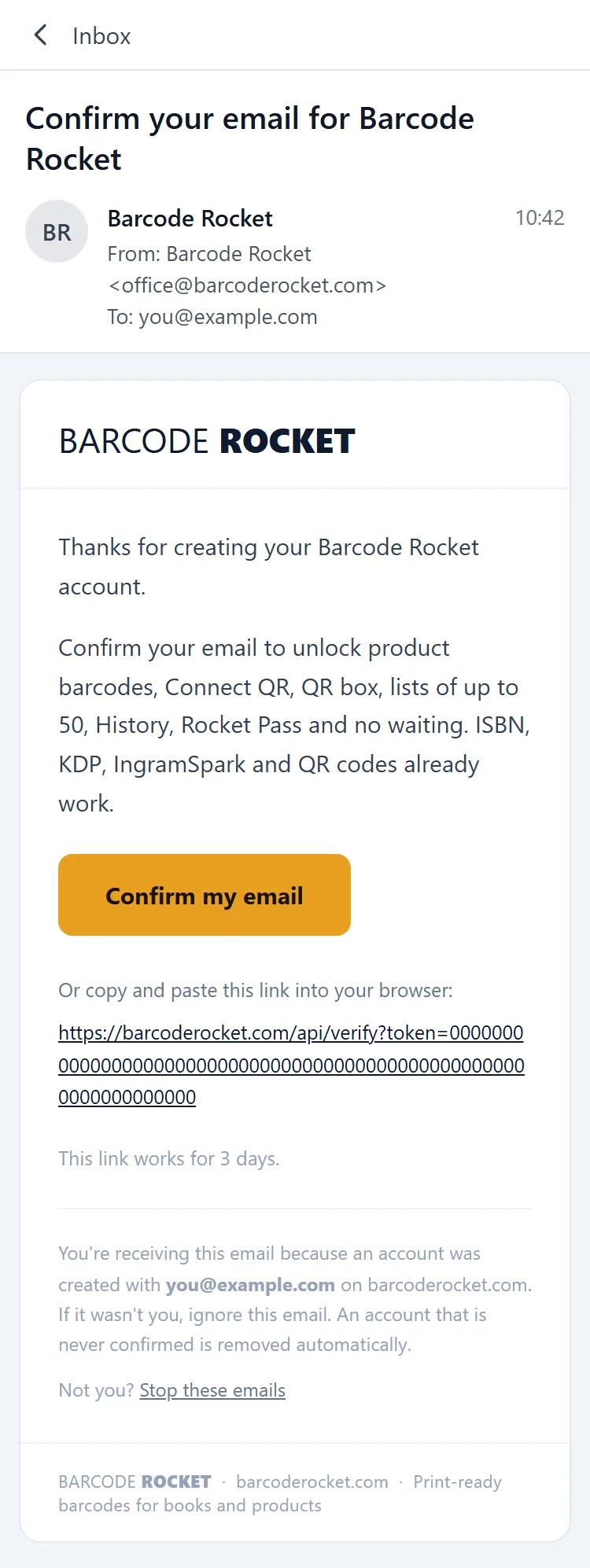
- Open the newest email from Barcode Rocket and click the link.
What the bar tells you
- "Confirm your email ... to unlock product barcodes, Connect QR, QR box, lists of up to 50, History, Rocket Pass and no waiting": no email has gone out yet. Click Send confirmation email.
- "We sent a confirmation link to ...": the email went out. Not in your inbox? Check spam.
- "Your confirmation email to ... is on its way. It usually arrives within a day.": at busy times the email waits its turn. You do not need to send it again.
While you wait
Your account works like a visitor: the free types and up to 20 downloads a day from your network. Your Inbox already works. Barcodes you make before you confirm are kept and show in History once you confirm. Confirm within 7 days of the latest confirmation email, or the account and those barcodes are deleted.
Still nothing?
Write to us through the contact form with the address you signed up with. We can check what happened.