
Publishers and API
How do I make a barcode in Claude?
Answer
You can ask Claude for your book's barcode in a chat. Add Barcode Rocket as a connector in Claude with the server address https://barcoderocket.com/mcp. Claude can check an ISBN, explain a price code and show a preview without an account; for the PDF you sign in once with your free Barcode Rocket account.
Steps
- In Claude, open Customize, then Connectors, click + Add and choose Add custom connector. On a Team or Enterprise plan, an Owner first adds it under Organization settings, then Connectors.
- Name it Barcode Rocket and enter the server URL https://barcoderocket.com/mcp. Under Authentication, choose Sign in when needed.
- Ask, for example: "Make me a KDP barcode for 9780306406157 at $19.99".
- The first time you ask for a PDF, Claude shows a Connect button. Sign in to Barcode Rocket (or create a free account) and choose Allow.
- Claude replies with a download link to the PDF. It works for 24 hours.
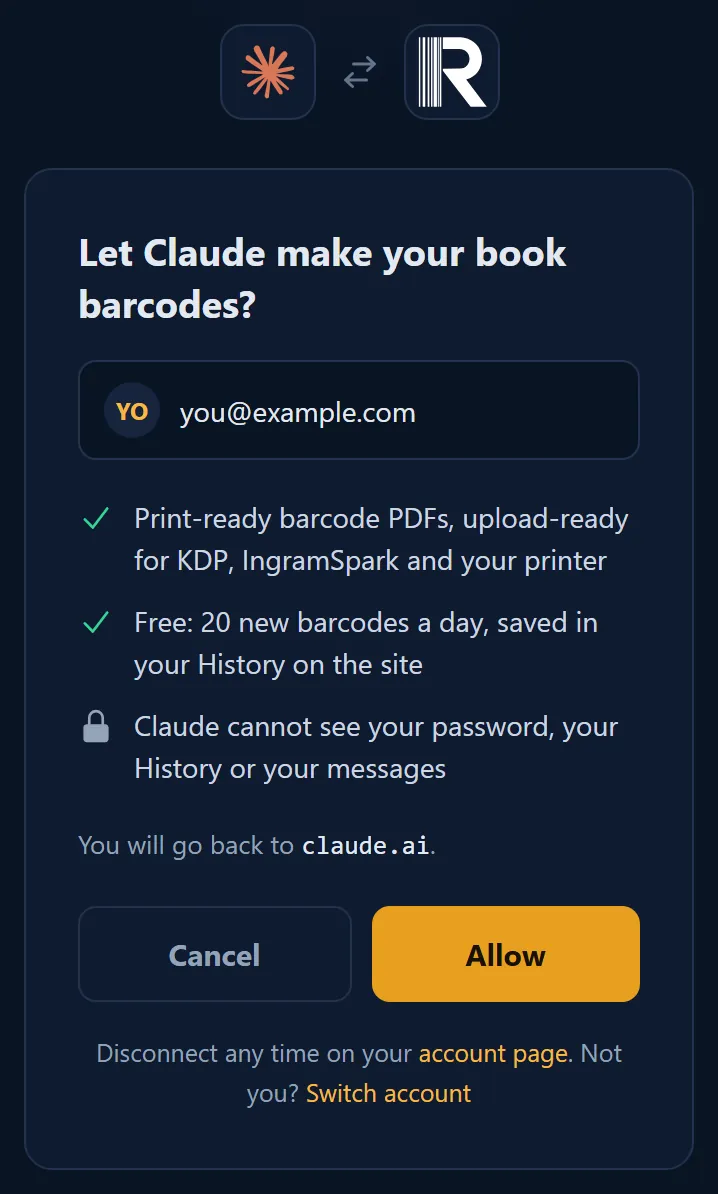
Step by step with pictures: Barcode Rocket for Claude.
Good to know
- Barcodes made through Claude are saved in your History, so you can download them again after the link ends.
- The same free limits apply as on the site.
- You can disconnect Claude on your account page at any time, under Connected apps.
Common problem
The download link from Claude does not work: Claude's links last 24 hours. Download the barcode again from History, free.