
Book barcodes
How do I make many barcodes at once?
Answer
With a free Barcode Rocket account and a confirmed email, you can make up to 50 barcodes at once. Type or paste one line per barcode, or import a CSV file, and click Download ZIP: you get one ZIP file with a separate PDF for each barcode. Lists are for barcodes; QR codes are made one at a time.
Steps
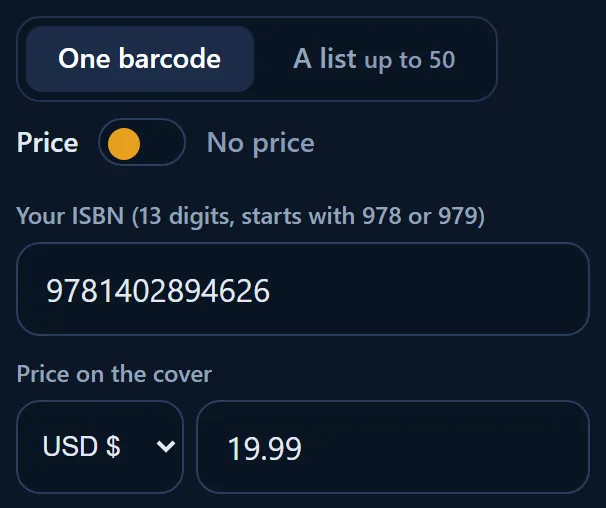
- Pick the type, for example ISBN on Price.
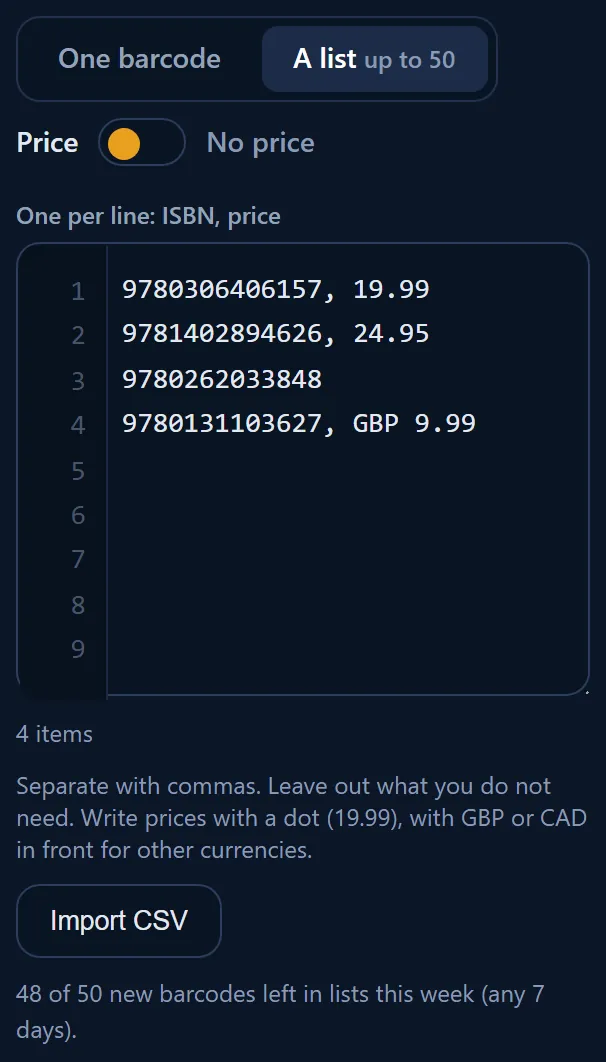
- Click A list up to 50 next to One barcode.
- Type or paste one line per barcode. The label above the box shows what goes on a line, for example "One per line: ISBN, price". Separate with commas. Leave out what you do not need.
- Or click Import CSV to read a spreadsheet saved as CSV. The file is read in your browser; nothing is uploaded. A header row is skipped.
- Click Download ZIP.

Line examples
- ISBN:
9781402894626 - ISBN with a price:
9781402894626, 19.99 - A price in pounds:
9781402894626, GBP 9.99 - Connect QR:
9781402894626, 19.99, THRILLER, https://yourbook.com
When a line has a mistake
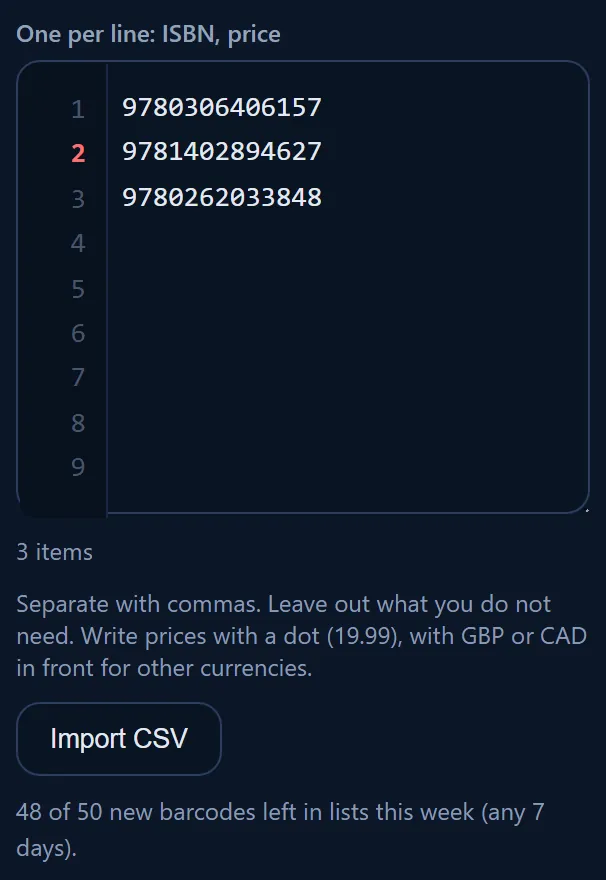
Each line has a gray number on the left. A line with a mistake gets a red number and a message, for example "Line 2: check digit should be 6, not 7. Lines with errors are skipped." The other lines are still made. If any line was skipped, the ZIP has a file named errors.csv that lists them.
What you get
- One ZIP file, named for example barcoderocket-12-barcodes.zip.
- One PDF per barcode, named after its number, like a single download.
- The same number twice in a list gives one file.
Limits
Lists of up to 50 lines. You can make 50 new barcodes in lists in any 7 days, plus any Rocket Pass bonus. Making a barcode you already made does not count. See How many barcodes can I make for free?
Why it matters
A series or a backlist takes minutes instead of an afternoon, and each file is named after its number, so nothing gets mixed up.